
PMKID Capture with hcxdumptool and hcxtools
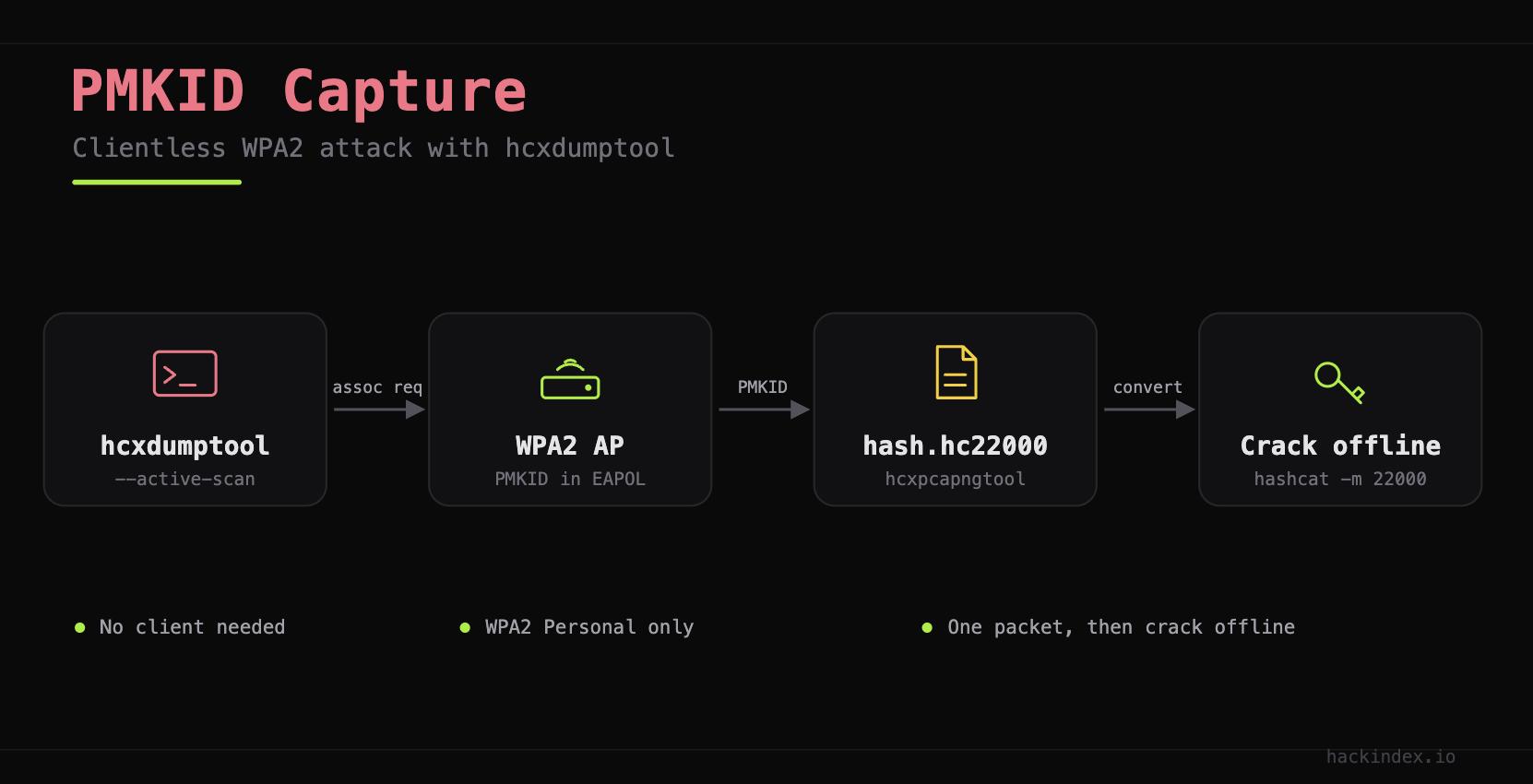
PMKID capture with hcxdumptool is the fastest way to attack WPA2. First, the AP builds a PMKID from the PMK, the AP MAC, and the client MAC. Then it puts that PMKID in the first EAPOL frame. So you grab it from the AP alone. You never wait for a client. Also, you never force one to connect. In fact, hcxdumptool sends one request and reads the reply.
However, this works only on WPA2 Personal. WPA3 SAE does not expose PMKIDs this way. So WPA3 resists this path.
Install hcxdumptool and hcxtools
First, grab both tools from the Kali repos:
Stop Interfering Services
hcxdumptool drives the interface on its own. So no other process may hold it. First, stop NetworkManager and wpa_supplicant:
PMKID Capture with hcxdumptool
Next, hcxdumptool sets monitor mode itself. So pass the interface in managed mode:
The --active-scan flag pokes nearby APs. So it triggers the PMKID frame. Without it, hcxdumptool only listens. Then it may miss APs that hide the PMKID. Therefore, run it for 60 seconds. That way it covers every channel.
Target a Single AP
Also, you can limit the capture to one AP. First, write the BSSID to a filter file. Then drop the colons:
The --filtermode=2 flag locks hcxdumptool to your list. So it cuts noise. Also, it avoids poking other APs.
Convert the Capture for Hashcat
Next, hcxtools turns the pcapng into hashcat 22000 format. So one type holds both PMKIDs and handshakes:
summary capture file:
  packets captured:        847
  PMKID (zeroed, usable):   3
  EAPOL (pairs, usable):    1
The summary shows two useful counts:
PMKID (zeroed, usable). The number of crackable PMKIDs.
EAPOL (pairs, usable). Any full handshakes in the capture.
Both land in one file. Also, a single hashcat command cracks both. However, a zero count means no luck. Then the AP may block PMKID roaming. So fall back to the 4-way handshake capture instead.
Verify the Hash File
WPA*01*4d4fe7aac3a2cecab195321ccd5542...*aabbccddeeff*...*TargetNetwork*
Lines with WPA*01* hold PMKIDs. Lines with WPA*02* hold EAPOL pairs. Also, hashcat cracks both with -m 22000. Finally, the SSID sits in the line as plaintext. So you confirm the right network at a glance.
Check the Capture Metadata
Also, hcxpcapngtool prints a full summary of the capture:
The summary lists every AP it saw. For each one, it shows the PMKID or handshake and the SSID. So use it to confirm coverage first. Then move to cracking. Next, see the monitor mode guide for setup.
Related


References
-
ZerBea/hcxdumptool on GitHubgithub.com/ZerBea/hcxdumptool (opens in new tab)
hcxdumptool source, flags, and filter file format reference
-
ZerBea/hcxtools on GitHubgithub.com/ZerBea/hcxtools (opens in new tab)
hcxpcapngtool conversion options and hash format reference
Was this helpful?
Your feedback helps improve this page.